
Android Custom Tabs provide a full-featured, secure, and seamless browser experience directly within the network login flow for captive portals, such as those found in airports, hotels, and planes. By integrating the user's primary browser into the authentication process, Custom Tabs enable advanced functionality including one-tap autofill for credentials and payments, DRM-protected streaming, and consistent connectivity for users with security features like VPNs and Private DNS. For more information on Custom Tabs, see Overview of Android Custom Tabs.
Benefits over legacy WebView
Integrating the user's primary browser using Custom Tabs resolves several functional limitations inherent in legacy WebView-based authentication flows for network operators:
- Streamlined transactions: The interface supports one-tap autofill for credentials and stored payment information, reducing manual data entry during the login process. (See Figure 1.)
- Media compatibility: The platform supports DRM-protected content (such as Widevine), enabling the playback of encrypted video streams directly within the portal. (See Figure 2.)
- Support for security configurations: Custom Tabs maintain portal functionality for devices using VPNs or private DNS, security features which often cause standard browser redirects to fail.
- Interface consistency: Custom Tabs integrate directly with the system browser, providing the same functional tools and UI elements available in a full browser session.
- Background persistence: The portal remains operational in the background, serving as a persistent access point throughout the connection period.
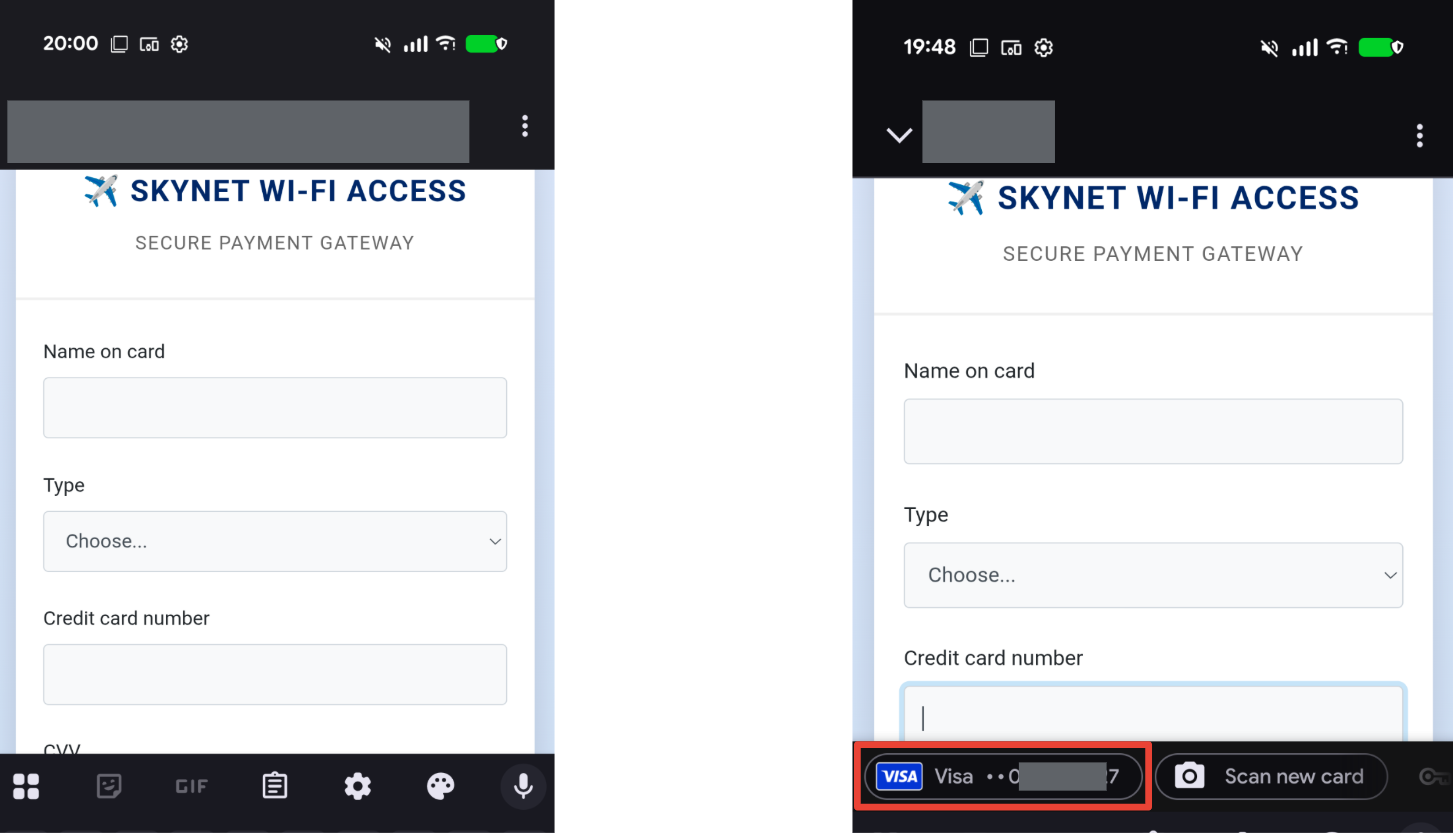
Figure 1. Manual input (WebView) versus autofill (Custom Tabs).
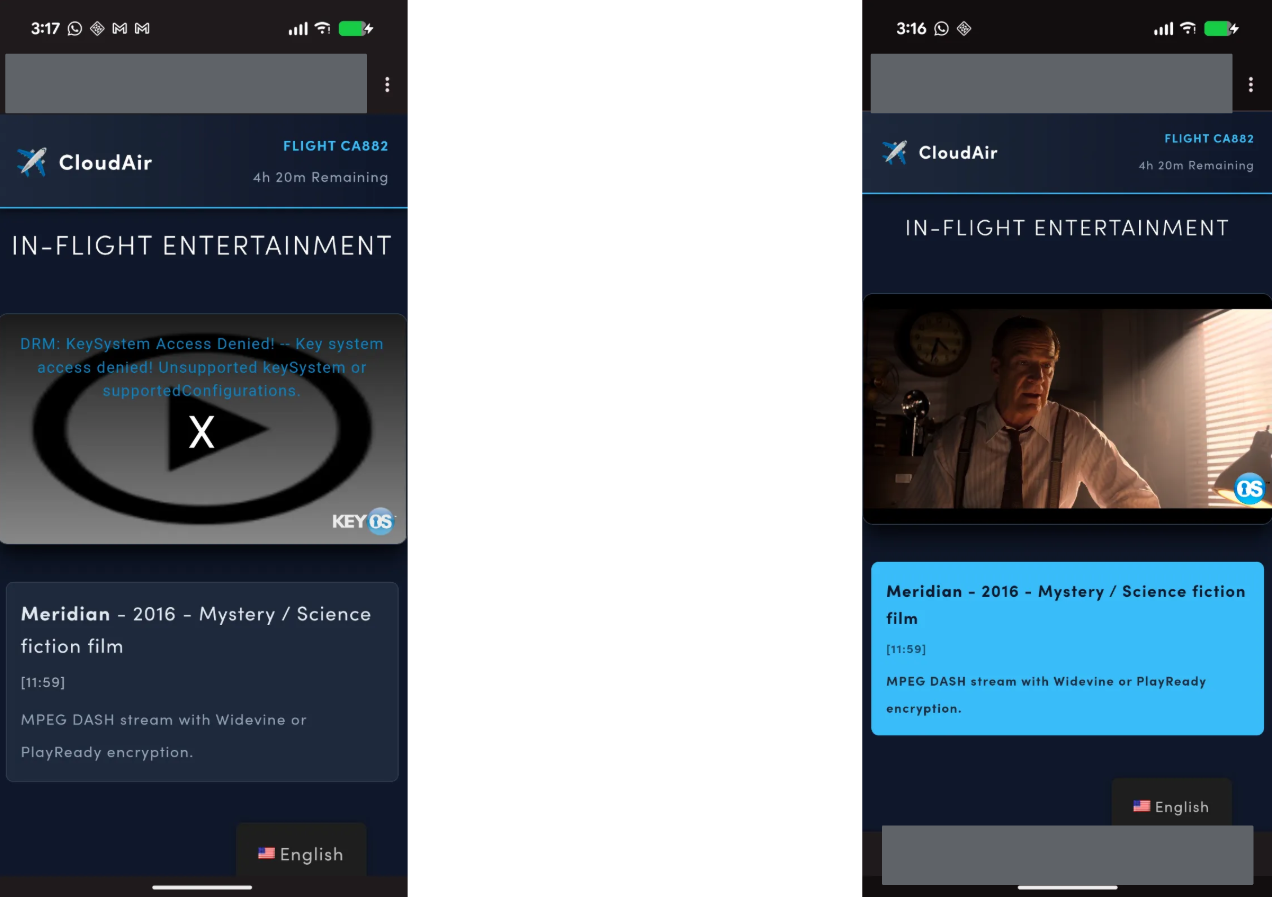
Figure 2. No video (WebView) versus video playback (Custom Tabs).
Custom Tabs discovery and connection flow
While Custom Tabs provide the interface, the Captive Portal API manages the discovery to connection intelligence flow:
- Discovery: The network advertises its API support using DHCP Option 114.
- Interaction: The Android device queries the API endpoint to fetch a JSON payload containing the network status.
- Connection: If the JSON response signals to use Custom Tabs, the system opens the portal in a high-performance browser environment instead of a basic system window.
The Captive Portal API lets Android devices detect whether a captive portal
exists using the captive field. The API integrates other fields such as
venue-info-url and seconds-remaining into the Android system UI.
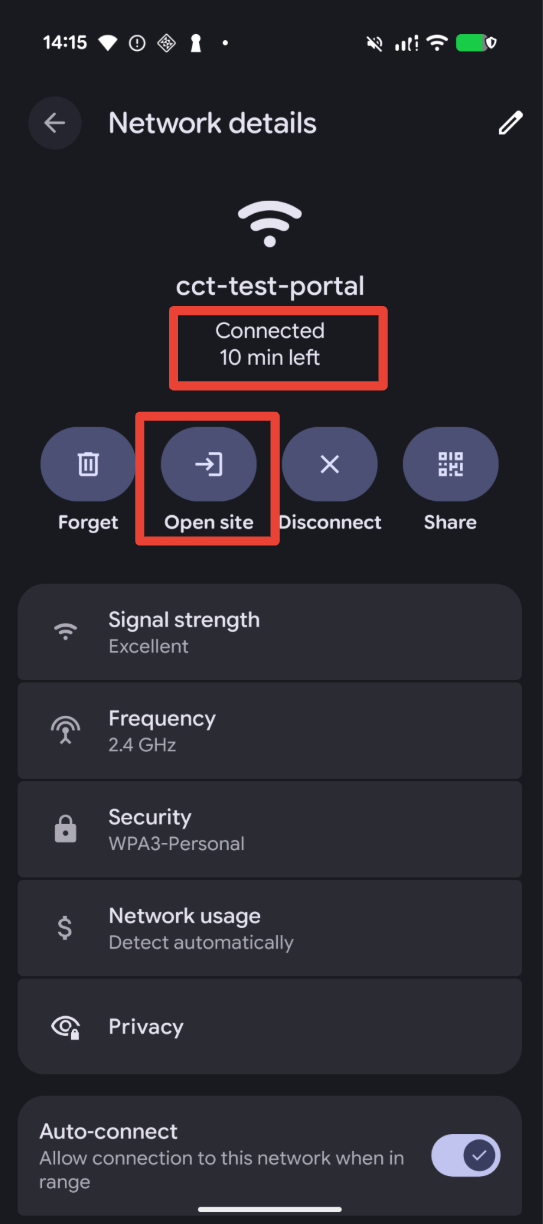
Figure 3. Captive portal API discovery to connection flow.
Enable Android Custom Tabs
To support the Custom Tabs flow, network operators must implement the Captive Portal API and opt in through the JSON configuration.
Requirements
Enabling Custom Tabs for captive portal login requires the following:
- Device running Android 12 and higher that supports Google Play system
updates (see Mainline) through the Mainline
CaptivePortalLoginmodule. - Support for the Captive Portal API (RFC 8908). For details, see Support the Captive Portal API.
Opt in to Android Custom Tabs
If your network already supports the Captive Portal API (RFC 8908), add the following key-value pair to your existing JSON response object to enable the Custom Tabs flow:
| Key | Value | Description |
|---|---|---|
x-android-use-custom-tabs |
361335020 |
This value represents the version number for the Captive Portal Login Mainline module released in January 2026. Devices with a module update equal to or newer than this version use the Custom Tabs login flow. |
This example JSON object includes all the captive portal attributes supported by Android:
{
  "captive": true,
  "user-portal-url": "https://login.example.com",
  "venue-info-url": "https://venue.example.com",
  "seconds-remaining": 3600,
  "x-android-use-custom-tabs": 361335020
}
The following are the available JSON captive portal attributes:
captive: Set totrueif authentication is required; set tofalseif the user is already online.user-portal-url: The URL of the login or payment page.venue-info-url: A link to your site for information (for example, flight details or maps).seconds-remaining: Indicates the remaining time (in seconds) the device is expected to maintain an internet connection.x-android-use-custom-tabs: Controls whether the device uses the custom tab when available.
Support the Captive Portal API
If your network doesn't support the Captive Portal API, follow these steps to enable the Captive Portal API and the Custom Tabs flow.
Update your DHCP server configuration to include DHCP option 114.
Value: Provide the full HTTPS URL of the dynamically-generated JSON file that contains captive portal information (for example,
https://api.yourvenue.com/status).Result: When an Android device joins the network, it queries the provided API instead of waiting for a browser redirect.
Configure your API server to respond to an HTTP GET request at the provided URL with a JSON file that informs the device of the portal's current state.
HTTPS requirement: Your API server must use a valid HTTPS certificate.
Security fallback: If the certificate is invalid or self-signed, the device falls back to legacy captive portal behavior.
Android captive portal detection behavior
The Captive Portal API provides a reliable alternative to standard Android network probes for detecting captive portal existence, bypassing common inconsistencies.
Android devices check for network access by sending simultaneous HTTP and HTTPS probes to specific validation URLs. Inconsistent probe success (for example, HTTP succeeds but HTTPS fails) results in a partial connectivity state, which can prevent the automatic display of the login app.
The Captive Portal API makes detection more reliable using the following detection behavior:
- If the API reports
"captive": true, the system recognizes it's behind a portal and skips the standard probes to immediately show the login interface. - If the API reports
"captive": false, the system proceeds with standard probes, requiring both HTTP and HTTPS probes to succeed before confirming full internet access.